Request a call back Enroll Now

Do you have a query? Book Free 15 Minute session with us

Book Now
Didn't find what you need?
We'll help you find it
Call Us
Microsoft Certified: Azure Data Scientist Associate

Microsoft Certified: Azure Data Scientist Associate (DP-100)

The Data Engineering on Microsoft Azure - DP-203 course prepares professionals to design and implement data solutions using Azure data platform technologies. Participants will learn to work with Azure Data Lake Storage Gen2, manage data with Azure Cosm

Date

20 Apr - 23 Apr (Mon-Thu) ย ย ย ย ย ย ย ย ย ย 

Time

10:00 AM - 6:00 PM (EDT)

$450

22% OFF

$350

Get it for

onlineOnline

$450

22% OFF

$350

Get it for

onlineOnline

$450

22% OFF

$350

Get it for

onlineOnline

$450

22% OFF

$350

Trusted By

Trusted by organizations worldwide for professional development. Advance Agility connects clients with experienced trainers and global peers.

10

+

100

+

10000

+

Overview

This comprehensive course equips professionals with the skills to design, implement, and manage scalable data solutions using Microsoft Azureโ€™s data platform technologies. Through hands-on labs and real-world scenarios, participants will learn to work with Azure Data Lake Storage Gen2, Azure Synapse Analytics, Azure Databricks, Azure Data Factory, and more, preparing them for the Azure Data Engineer role and certification.

Microsoft Certified: Azure Data Scientist Associate Curriculum

โ€ข Introduction to data engineering on Azure

โ€ข Identify common data engineering tasks

โ€ข Describe common data engineering concepts

โ€ข Identify Azure services for data engineering

โ€ข Introduction to Azure Data Lake Storage Gen2

โ€ข Describe the key features and benefits of Azure Data Lake Storage Gen2

โ€ข Enable Azure Data Lake Storage Gen2 in an Azure Storage account

โ€ข Compare Azure Data Lake Storage Gen2 and Azure Blob storage

โ€ข Describe where Azure Data Lake Storage Gen2 fits in the stages of analytical processing

โ€ข Describe how Azure data Lake Storage Gen2 is used in common analytical workloads

โ€ข Introduction to Azure Synapse Analytics

โ€ข Identify the business problems that Azure Synapse Analytics addresses

โ€ข Describe core capabilities of Azure Synapse Analytics

โ€ข Determine when to use Azure Synapse Analytics

โ€ข Use Azure Synapse serverless SQL pool to query files in a data lake

โ€ข Identify capabilities and use cases for serverless SQL pools in Azure Synapse Analytics

โ€ข Query CSV, JSON, and Parquet files using a serverless SQL pool

โ€ข Create external database objects in a serverless SQL pool

โ€ข Use Azure Synapse serverless SQL pools to transform data in a data lake

โ€ข Use a CREATE EXTERNAL TABLE AS SELECT (CETAS) statement to transform data

โ€ข Encapsulate a CETAS statement in a stored procedure

โ€ข Include a data transformation stored procedure in a pipeline

โ€ข Create a lake database in Azure Synapse Analytics

โ€ข Understand lake database concepts and components

โ€ข Describe database templates in Azure Synapse Analytics

โ€ข Create a lake database

โ€ข Secure data and manage users in Azure Synapse serverless SQL pools

โ€ข Choose an authentication method in Azure Synapse serverless SQL pools

โ€ข Manage users in Azure Synapse serverless SQL pools

โ€ข Manage user permissions in Azure Synapse serverless SQL pools

โ€ข Analyze data with Apache Spark in Azure Synapse Analytics

โ€ข Identify core features and capabilities of Apache Spark

โ€ข Configure a Spark pool in Azure Synapse Analytics

โ€ข Run code to load, analyze, and visualize data in a Spark notebook

โ€ข Transform data with Spark in Azure Synapse Analytics

โ€ข Use Apache Spark to modify and save dataframes

โ€ข Partition data files for improved performance and scalability

โ€ข Transform data with SQL

โ€ข Use Delta Lake in Azure Synapse Analytics

โ€ข Describe core features and capabilities of Delta Lake

โ€ข Create and use Delta Lake tables in a Synapse Analytics Spark pool

โ€ข Create Spark catalog tables for Delta Lake data

โ€ข Use Delta Lake tables for streaming data

โ€ข Query Delta Lake tables from a Synapse Analytics SQL pool

โ€ข Build a data pipeline in Azure Synapse Analytics

โ€ข Describe core concepts for Azure Synapse Analytics pipelines

โ€ข Create a pipeline in Azure Synapse Studio

โ€ข Implement a data flow activity in a pipeline

โ€ข Initiate and monitor pipeline runs

โ€ข Use Spark Notebooks in an Azure Synapse Pipeline

โ€ข Describe notebook and pipeline integration

โ€ข Use a Synapse notebook activity in a pipeline

โ€ข Use parameters with a notebook activity

โ€ข Introduction to Azure Synapse Analytics

โ€ข Identify the business problems that Azure Synapse Analytics addresses

โ€ข Describe core capabilities of Azure Synapse Analytics

โ€ข Determine when to use Azure Synapse Analytics

โ€ข Use Azure Synapse serverless SQL pool to query files in a data lake

โ€ข Identify capabilities and use cases for serverless SQL pools in Azure Synapse Analytics

โ€ข Query CSV, JSON, and Parquet files using a serverless SQL pool

โ€ข Create external database objects in a serverless SQL pool

โ€ข Analyze data with Apache Spark in Azure Synapse Analytics

โ€ข Identify core features and capabilities of Apache Spark

โ€ข Configure a Spark pool in Azure Synapse Analytics

โ€ข Run code to load, analyze, and visualize data in a Spark notebook

โ€ข Use Delta Lake in Azure Synapse Analytics

โ€ข Describe core features and capabilities of Delta Lake

โ€ข Create and use Delta Lake tables in a Synapse Analytics Spark pool

โ€ข Create Spark catalog tables for Delta Lake data

โ€ข Use Delta Lake tables for streaming data

โ€ข Query Delta Lake tables from a Synapse Analytics SQL pool

โ€ข Analyze data in a relational data warehouse

โ€ข Design a schema for a relational data warehouse

โ€ข Create fact, dimension, and staging tables

โ€ข Use SQL to load data into data warehouse tables

โ€ข Use SQL to query relational data warehouse tables

โ€ข Build a data pipeline in Azure Synapse Analytics

โ€ข Describe core concepts for Azure Synapse Analytics pipelines

โ€ข Create a pipeline in Azure Synapse Studio

โ€ข Implement a data flow activity in a pipeline

โ€ข Initiate and monitor pipeline runs

โ€ข Analyze data in a relational data warehouse

โ€ข Design a schema for a relational data warehouse

โ€ข Create fact, dimension, and staging tables

โ€ข Use SQL to load data into data warehouse tables

โ€ข Use SQL to query relational data warehouse tables

โ€ข Load data into a relational data warehouse

โ€ข Load staging tables in a data warehouse

โ€ข Load dimension tables in a data warehouse

โ€ข Load time dimensions in a data warehouse

โ€ข Load slowly changing dimensions in a data warehouse

โ€ข Load fact tables in a data warehouse

โ€ข Perform post-load optimizations in a data warehouse

โ€ข Manage and monitor data warehouse activities in Azure Synapse Analytics

โ€ข Scale compute resources in Azure Synapse Analytics

โ€ข Pause compute in Azure Synapse Analytics

โ€ข Manage workloads in Azure Synapse Analytics

โ€ข Use Azure Advisor to review recommendations

โ€ข Use Dynamic Management Views to identify and troubleshoot query performance

โ€ข Secure a data warehouse in Azure Synapse Analytics

โ€ข Understand network security options for Azure Synapse Analytics

โ€ข Configure Conditional Access

โ€ข Configure Authentication

โ€ข Manage authorization through column and row level security

โ€ข Manage sensitive data with Dynamic Data masking

โ€ข Implement encryption in Azure Synapse Analytics

โ€ข Plan hybrid transactional and analytical processing using Azure Synapse Analytics

โ€ข Describe Hybrid Transactional / Analytical Processing patterns

โ€ข Identify Azure Synapse Link services for HTAP

โ€ข Implement Azure Synapse Link with Azure Cosmos DB

โ€ข Configure an Azure Cosmos DB Account to use Azure Synapse Link

โ€ข Create an analytical store enabled container

โ€ข Create a linked service for Azure Cosmos DB

โ€ข Analyze linked data using Spark

โ€ข Analyze linked data using Synapse SQL

โ€ข Implement Azure Synapse Link for SQL

โ€ข Understand key concepts and capabilities of Azure Synapse Link for SQL

โ€ข Configure Azure Synapse Link for Azure SQL Database

โ€ข Configure Azure Synapse Link for Microsoft SQL Server

โ€ข Understand data streams

โ€ข Understand event processing

โ€ข Understand window functions

โ€ข Get started with Azure Stream Analytics

โ€ข Ingest streaming data using Azure Stream Analytics and Azure Synapse Analytics

โ€ข Describe common stream ingestion scenarios for Azure Synapse Analytics

โ€ข Configure inputs and outputs for an Azure Stream Analytics job

โ€ข Define a query to ingest real-time data into Azure Synapse Analytics

โ€ข Run a job to ingest real-time data, and consume that data in Azure Synapse Analytics

โ€ข Visualize real-time data with Azure Stream Analytics and Power BI

โ€ข Configure a Stream Analytics output for Power BI

โ€ข Use a Stream Analytics query to write data to Power BI

โ€ข Create a real-time data visualization in Power BI

โ€ข Introduction to Microsoft Purview

โ€ข Evaluate whether Microsoft Purview is appropriate for your data discovery and governance needs

โ€ข Describe how the features of Microsoft Purview work to provide data discovery and governance

โ€ข Discover trusted data using Microsoft Purview

โ€ข Browse, search, and manage data catalog assets

โ€ข Use data catalog assets with Power BI

โ€ข Use Microsoft Purview in Azure Synapse Studio

โ€ข Catalog data artifacts by using Microsoft Purview

โ€ข Describe asset classification in Microsoft Purview

โ€ข Manage Power BI assets by using Microsoft Purview

โ€ข Register and scan a Power BI tenant

โ€ข Use the search and browse functions to find data assets

โ€ข Describe the schema details and data lineage tracing of Power BI data assets

โ€ข Integrate Microsoft Purview and Azure Synapse Analytics

โ€ข Catalog Azure Synapse Analytics database assets in Microsoft Purview

โ€ข Configure Microsoft Purview integration in Azure Synapse Analytics

โ€ข Search the Microsoft Purview catalog from Synapse Studio

โ€ข Track data lineage in Azure Synapse Analytics pipelines activities

Course Benefits

  • Master end-to-end data engineering workflows on Microsoft Azure, from ingestion to analytics.
  • Gain hands-on experience with leading Azure services like Synapse Analytics, Data Lake, and Databricks.
  • Learn to build and optimize data pipelines for both batch and real-time processing.
  • Develop skills to secure, monitor, and govern enterprise data solutions in the cloud.
  • Prepare for the Microsoft DP-203 certification and boost your career opportunities.
  • Flexible, expert-led virtual training with practical labs and industry-recognized certification.
Microsoft Certified: Azure Data Scientist Associate

Need to know
more?

Microsoft Certified: Azure Data Scientist Associate

Download

Course Certification Process

Microsoft Certified: Azure Data Scientist Associate

Get professional guidance from learning advisors

View Schedules
  • Complete the instructor-led training course, including hands-on labs and practical exercises.
  • Register for the official Data Engineering on Microsoft Azure certification exam.
  • Pass the exam, which tests your knowledge and skills in designing and implementing data solutions on Azure.
  • Receive your Microsoft Certified: Azure Data Engineer Associate credential upon successful exam completion.

Our Instructor

Gaurav Rajwanshi

Gaurav Rajwanshi

Lean Business Leadership and AI Coach

Amogh Joshi

Amogh Joshi

Director of Agile Product Delivery & Transformation Coach

Ashish Joshi

Ashish Joshi

Business Agility and Transformation Coach

enquire Now

Get professional guidance from learning
advisors

course-broucher-bg
course-brouscher-icon

Difficulties in organizing your schedule?

Upskill and reskill your team with our corporate training programs.

Reach Us
course-selection-bg

Confused about course selection?
Talk to an expert!

Microsoft Certified: Azure Data Scientist Associate

Testimonial

What Participants Say About Our Trainers

"I had the opportunity to complete the Leading SAFe 6.0 course with Varun Dharni. He always took time to address questions and clarify doubts during the sessions. His friendly and approachable nature made it easy to ask even basic questions. I would highly recommend his training to anyone interested in the SAFe Agile course."
Niharika Kamewal

Niharika Kamewal

"I recently had the opportunity to attend a 2-day intensive SAFe training led by Priyanka Tiwari. The sessions were highly interactive, and I gained valuable insights that I can directly apply in my role. The training sharpened my understanding and helped me develop strong conceptual clarity. Priyanka did an outstanding job as both facilitator and instructor. I would definitely recommend Scaled Agile Certification training to anyone looking to take their Scrum Master journey to the next level."
Pooja Patel

Pooja Patel

"Himani and Varun were my instructors for the Product Owner SAFe 6.0 course. Both were extremely knowledgeable and conducted the course at a well-balanced pace, giving enough time to ask questions and engage in discussions. The training was thorough, and I received excellent support throughout. I would recommend this course to anyone who wants to learn more about SAFe and the role of Product Owner / Product Manager."
Hannah Parker

Hannah Parker

"The trainer, Priyanka, was highly engaging and brought real-life experience into the sessions, making the training easy to relate to. The resources provided were excellent, and I feel confident that both the training and materials prepared me well for the certification exam."
Maria D'Ambrosio

Maria D'Ambrosio

"Thank you, Himani, for delivering such a well-organized and interactive SAFe training session. Your clear explanation of key concepts, along with practical examples, made the content easy to grasp and apply. I truly appreciated your patience in answering every question and ensuring everyone stayed aligned. It was a valuable learning experience โ€” thank you!"
Anna Pachkovska

Anna Pachkovska

"The POPM SAFe course provided a great overview of the subject, and our instructor, Priyanka, explained everything in detail with excellent examples throughout the training."
Gabriella De Gregorio

Gabriella De Gregorio

Frequently asked questions

- Data Engineering on Microsoft Azure training is ideal for individuals aiming to enhance their skills in designing and implementing data solutions using Azure data platform technologies. It is particularly beneficial for professionals in roles such as Data Scientists, Data Analysts, and Database Analysts, as well as those seeking to enter the data engineering sector. course is also suitable for anyone looking to gain a comprehensive understanding of Azure Data Lake Storage Gen2, Azure Cosmos DB, and serverless SQL pools in Azure Synapse Analytics and achieve Microsoft Azure Technology skills.

Yes, Data Engineering on Microsoft Azure course includes 4 Days (32 Hours) of hands-on labs and practical exercises. These sessions are designed to provide real-world experience in working with Azure Data Lake Storage Gen2, Azure Cosmos DB, serverless SQL pools in Azure Synapse Analytics, Azure Databricks, Azure Data Factory, and Stream Analytics, allowing you to apply theoretical knowledge to practical scenarios. You will work on building and managing data engineering solutions on the Azure cloud, including data ingestion, transformation, and storage to reinforce your learning

Upon completing the Data Engineering on Microsoft Azure training, you can pursue various career opportunities, including Azure Data Engineer, Data Architect, and Cloud Data Engineer. The  course opens doors to roles in organizations utilizing Microsoft Azure for their data infrastructure and analytics, where your skills will be highly valued.

The instructors for the Microsoft course are Microsoft Certified Trainers (MCTs) and industry experts with many years of experience in Azure data platform technologies and data engineering practices. They are selected based on their expertise, teaching experience, and certifications. Our instructors undergo a rigorous selection process to ensure they provide high-quality training.

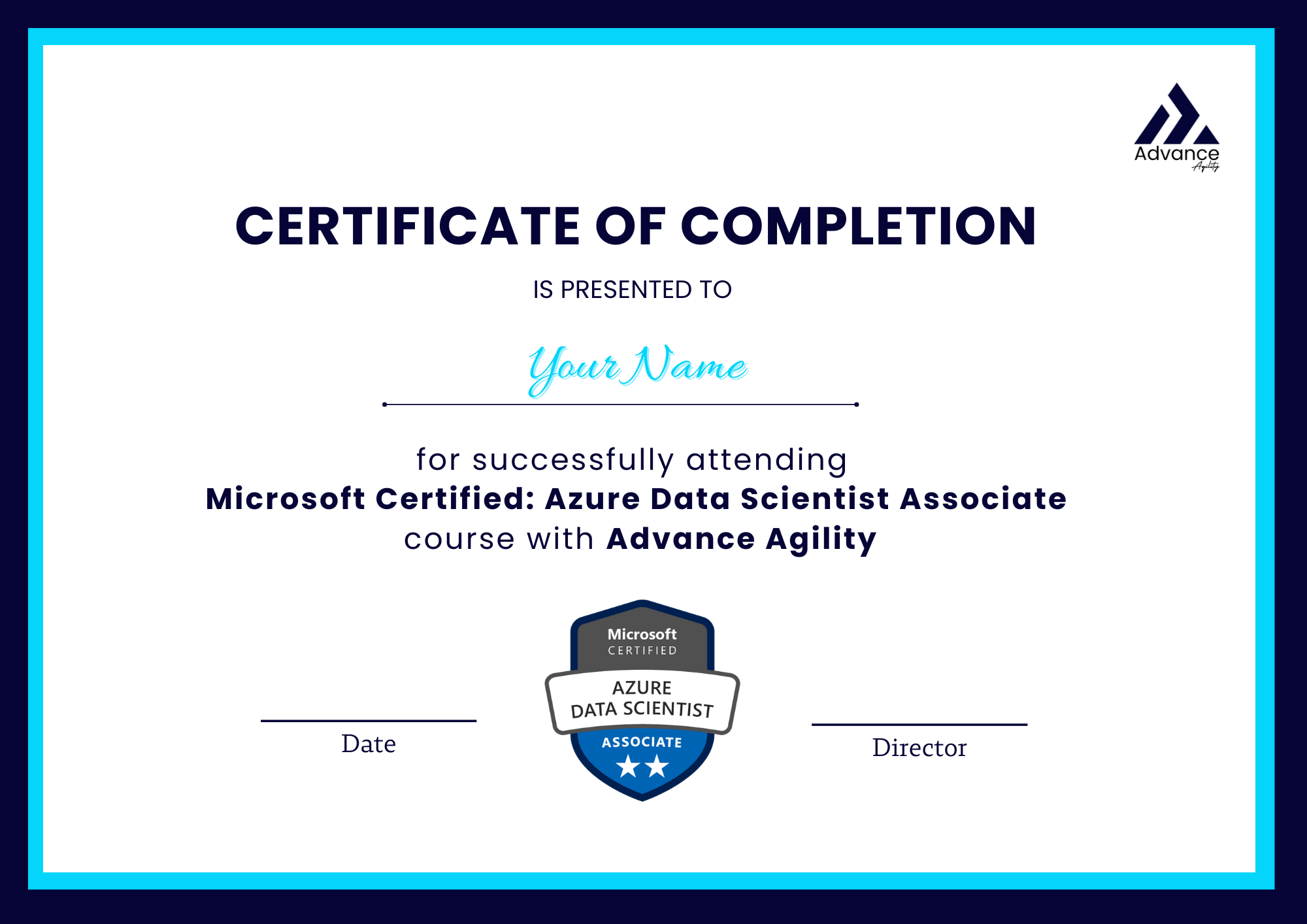
Yes, you will receive a certificate of completion upon successfully completing training. This certificate verifies your participation and mastery of the course content.

Similar courses

Azure Administrator Associate

Start from $700

Join Now

Microsoft Certified: Azure Fundamentals

Start from $350

Join Now

Microsoft Certified: Azure AI Fundamentals

Start from $350

Join Now
Not sure which course? Get AI recommendation โ†’
โœฆ
AI Course Advisor
Powered by Advance Agility
โœฆ

Find Your Perfect
Agile Course

Answer 4 quick questions. Get a personalized AI recommendation + an exclusive discount in 60 seconds.

๐ŸŽฏ Personalized โšก Instant ๐ŸŽ Discount Included